PUT REVENUE ON AUTOPILOTFlotera continuously finds the best opportunities for your servers across marketplaces. Earn more from your GPUs with higher utilization and better pricing.
AGENTIC BY DESIGNThe Flotera agent is designed to support your growing fleet with AI-assisted operations. You decide how much control to give it.
BRING YOUR OWN KEYSConnect to marketplaces with your own credentials. Flotera encrypts them and never displays them again after saving.
HOW IT WORKS
Do More with Flotera Agent
Monitor your fleet, track earnings and occupancy, and automate pricing across your connected marketplaces.
dnsFLEET MANAGEMENT
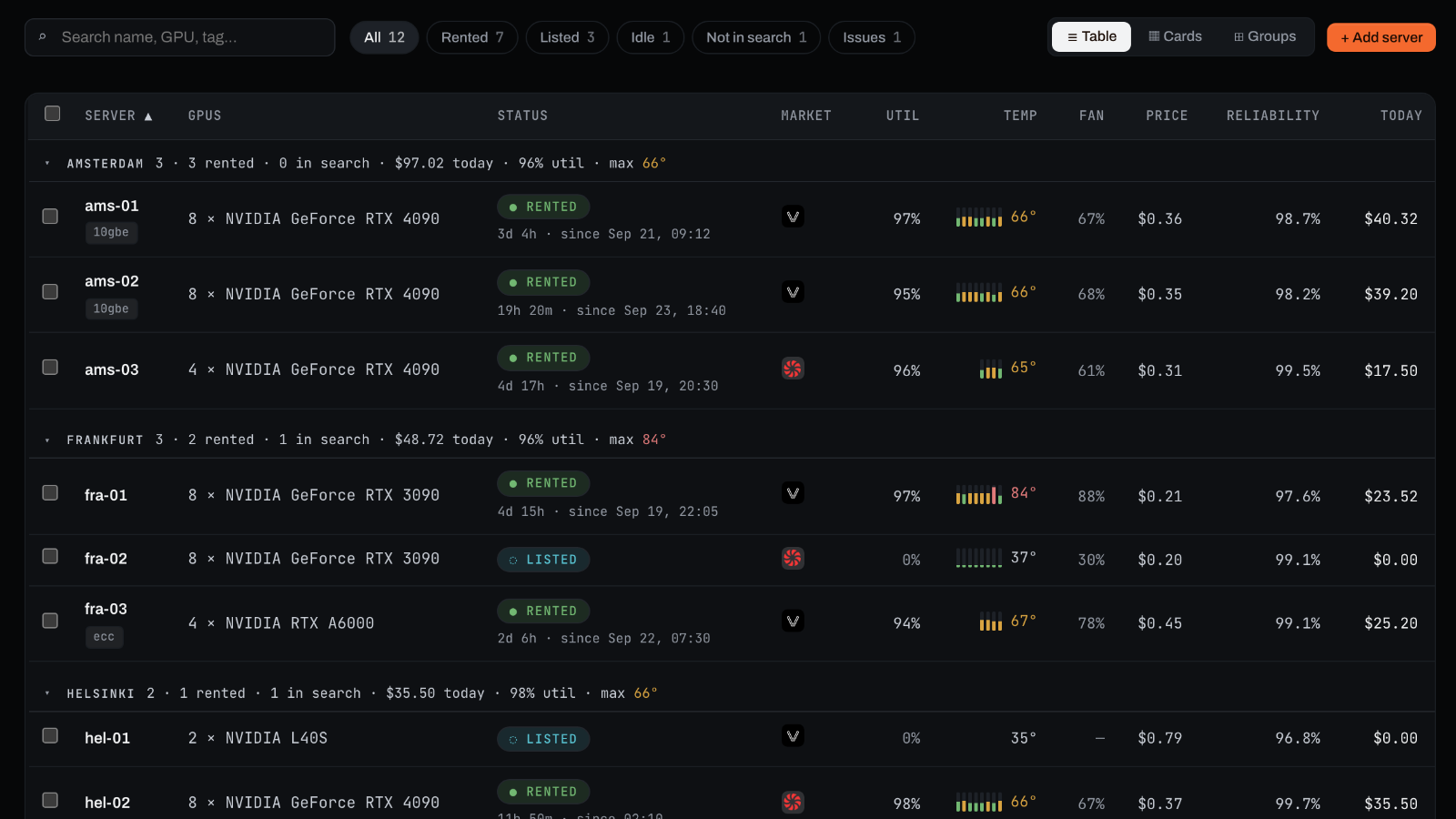
Every Server at a Glance
chevron_rightSee what’s rented, listed, idle, or offline, along with GPU, temperature, and current pricing.
chevron_rightOrganize servers with groups and tags. Filter by status, or find any server by name, GPU model, or tag.
chevron_rightKnow what’s really offline. Flotera filters out temporary connection drops before alerting you.
monitoringADVANCED TELEMETRY
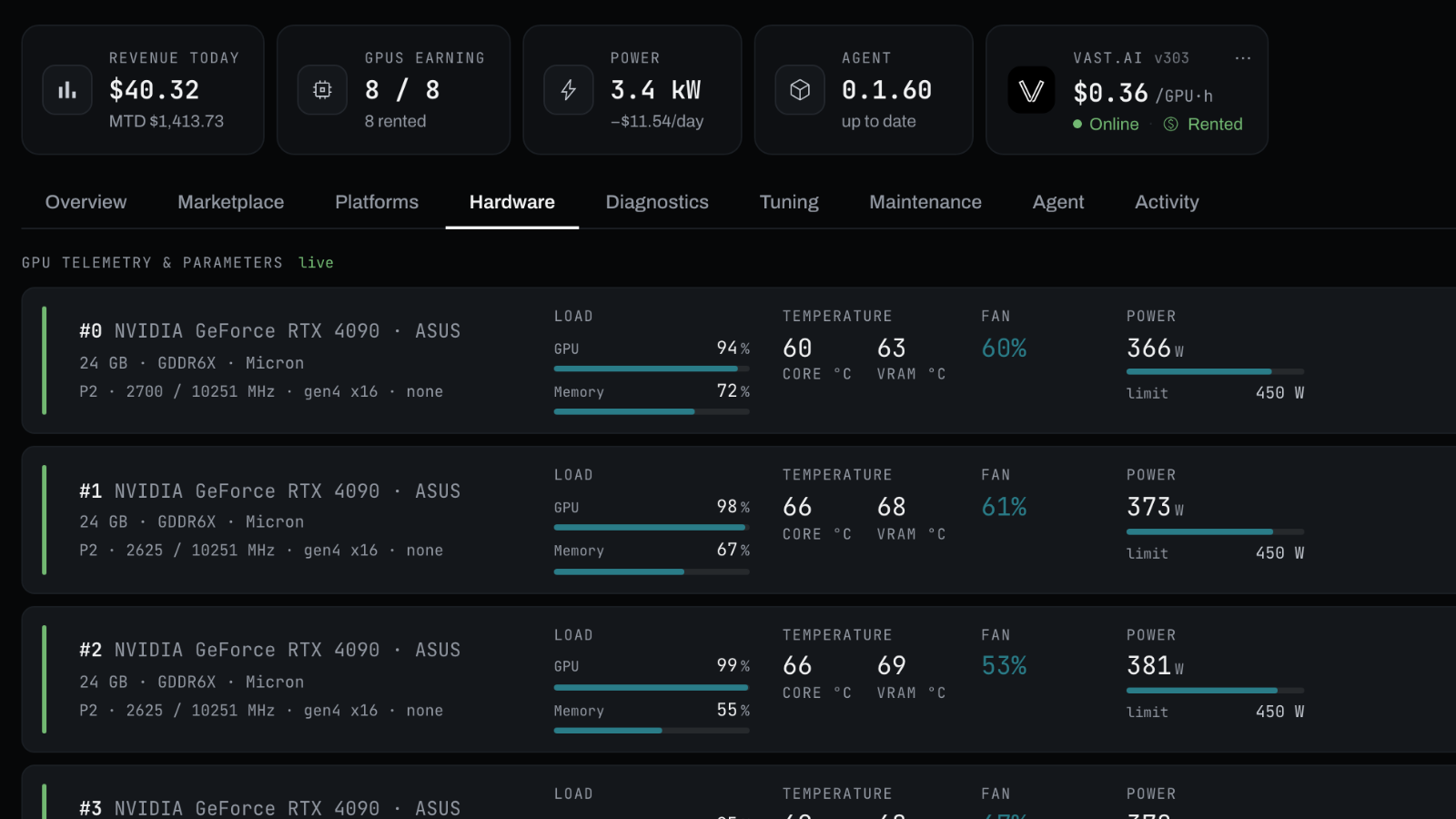
Deep Visibility and Control
chevron_rightMonitor GPU temperature, load, power, and fans, plus disk and network performance.
chevron_rightAdjust fan settings and power limits directly from Flotera.
chevron_rightReboot, power down, or schedule marketplace maintenance without leaving the server view.
paymentsEARNINGS REPORTING
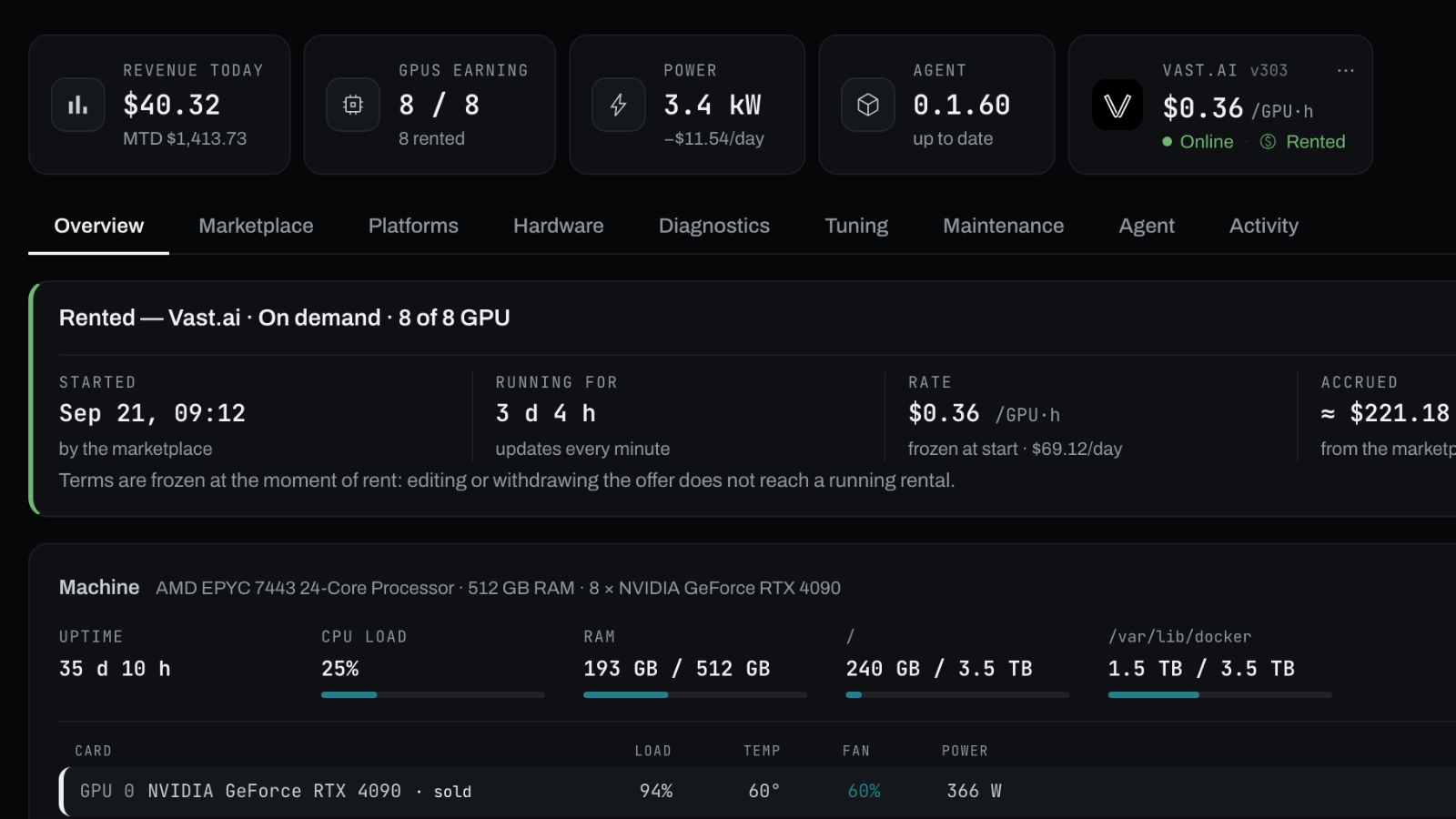
Know What Every Server Earns
chevron_rightTrack earnings by server, marketplace, and time period.
chevron_rightSee marketplace fees and crypto earnings converted at the price when they were earned.
chevron_rightCompare electricity costs against earnings to understand the economics of every server.
donut_smallCUSTOM ALERTS
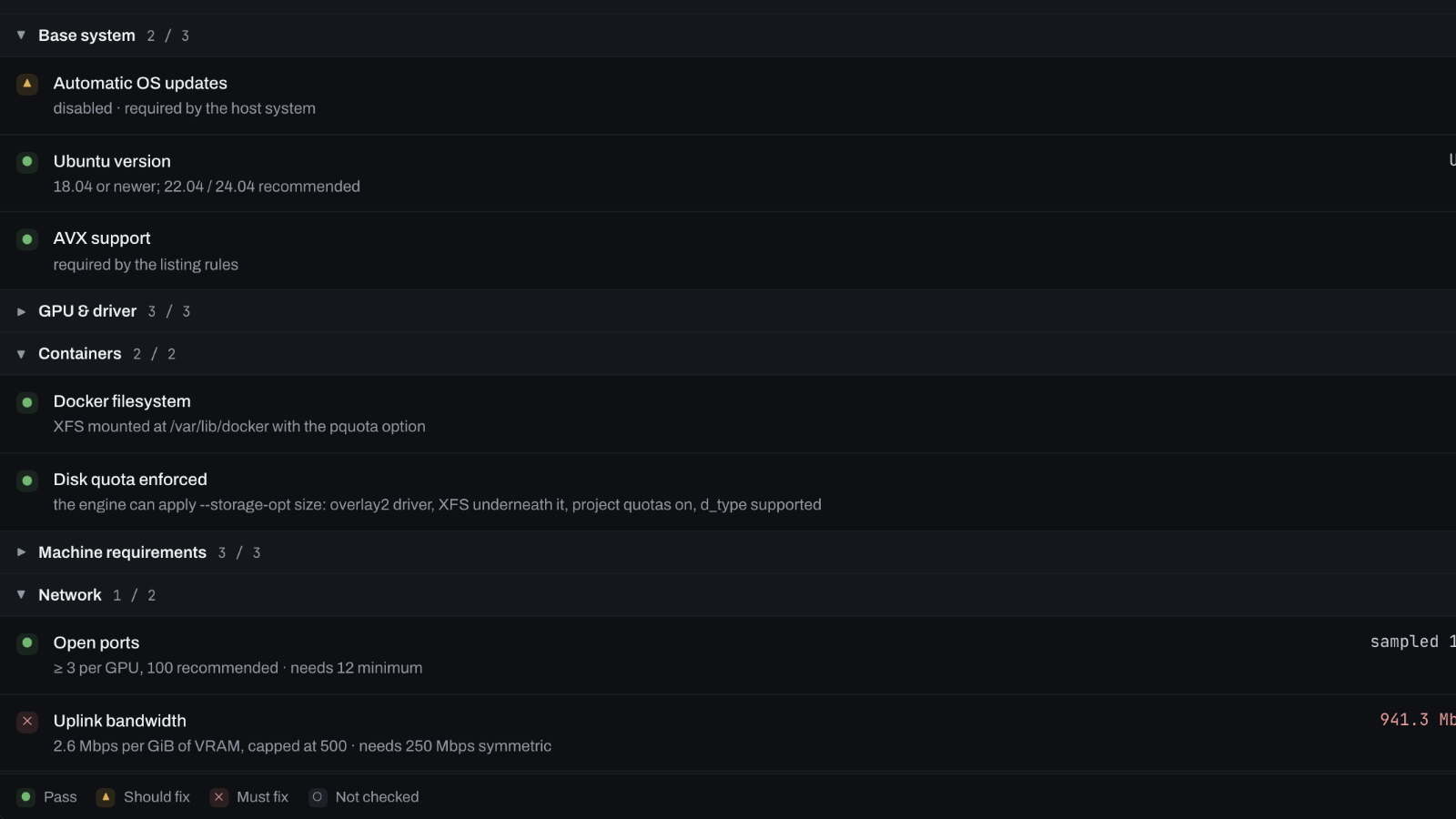
Catch Problems Before They Cost You
chevron_rightGet Telegram and email alerts when rented servers go offline, reliability drops, or listings disappear from search.
chevron_rightCheck drivers, Docker, ports, bandwidth, and system configuration against marketplace requirements.
chevron_rightTrack occupancy across your fleet and by GPU model.
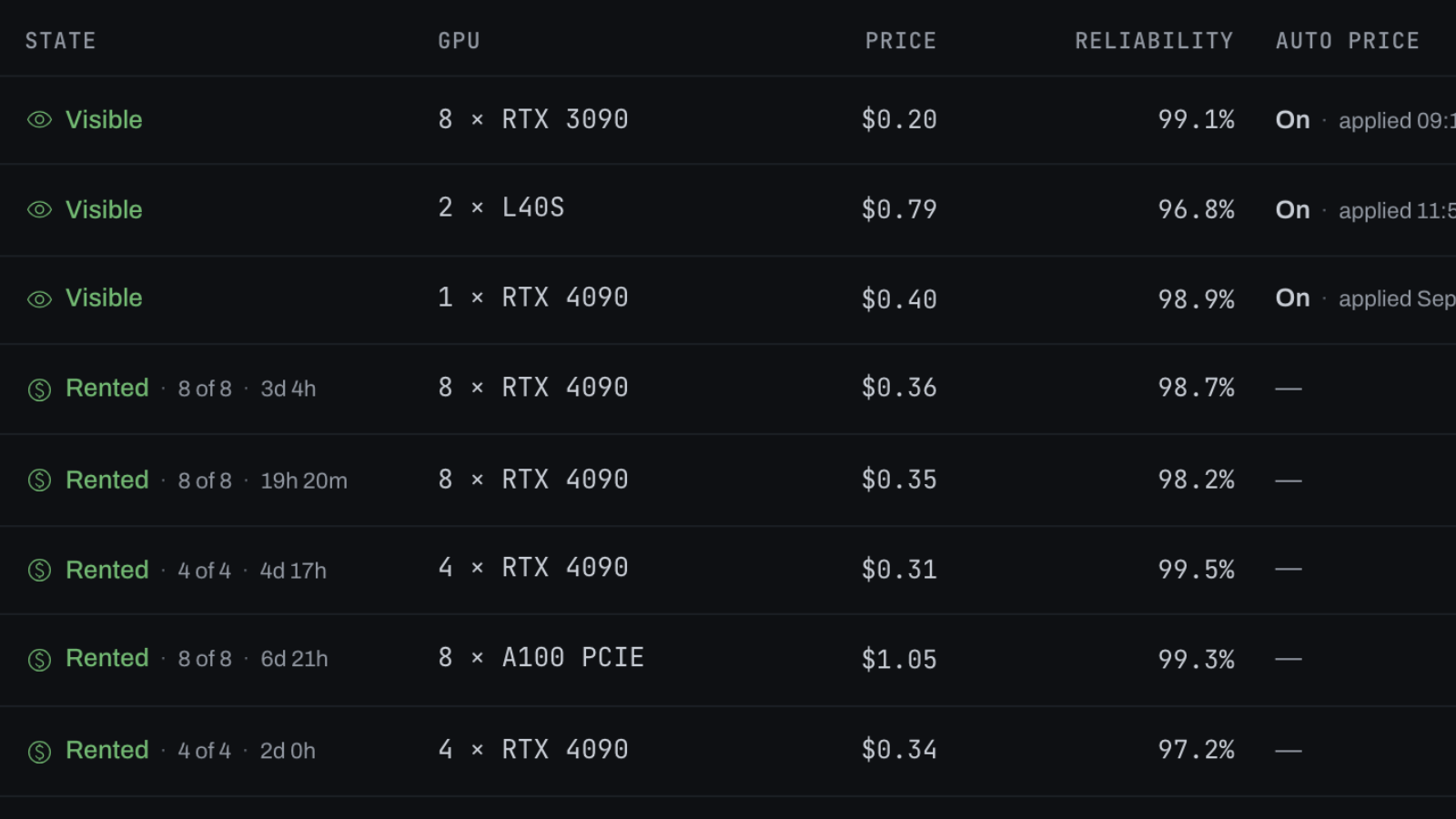
tuneAUTOMATIC PRICING
Set the Rule Once
chevron_rightSet pricing rules by GPU model and marketplace using market rates, offsets, and price ceilings.
chevron_rightReview suggested prices, or let Flotera automatically update idle servers.
chevron_rightProtect your margins with built-in guardrails. Rented servers are never repriced, prices never drop below power cost, and every change is logged.
WHAT'S NEW
CONNECT CLAUDE
Manage Your Fleet in Plain Language
Connect Claude or another AI assistant through MCP to check servers, review earnings, investigate problems, and manage your fleet using natural language.
↑
REFERRALS
Give $10. Get $10.
Invite another host to Flotera. You both get $10 in Flotera credit only after their servers reach the required online time, not at sign-up.
To get started, you’ll need a Linux server (x86-64, systemd) with SSH and sudo access. GPU telemetry also requires an NVIDIA driver.
Read-only sample output. No installer is run.
host@gpu-node-01
Flotera agent Monitoring, diagnostics and control for a GPU host. What is about to happen: 1 Choose what the agent may do you decide, default is read-only 2 Check the host systemd, GPU driver, connectivity 3 Download and verify the agent from get.flotera.com 4 Install helper packages smartmontools, nvme-cli 5 Write the systemd service sudo asks once, after step 1 6 Start the agent the panel then detects the server Nothing on your GPUs is changed, and the NVIDIA driver is left alone. 1/6 What may the agent do on this host? read-only telemetry, diagnostics, GPU health, driver errors. The agent runs as an unprivileged user and cannot change anything on your GPUs. full all of the above, plus control: power limit, fan policy, host reboot and power off. Which one? [full/read-only] (read-only): ✓ read-only the agent cannot change your GPUs Steps 2-6 install a system service — a system user, a unit in /etc/systemd/system and files in /usr/lib/flotera-agent. sudo will ask for your password.[sudo] password for host: 2/6 Checking the host ✓ systemd systemd 255 (255.4-1ubuntu8.17) ✓ token well-formed ✓ NVIDIA driver 570.172.08 ✓ control plane agent.flotera.com reachable 3/6 Downloading the agent ✓ manifest signed, release 0.1.60 ✓ archive 6.7M ✓ checksum verified against the signed manifest 4/6 Installing helper packages ✓ smartmontools nvme-cli for SMART attributes 5/6 Write the systemd service ✓ user flotera-agent ✓ journal access GPU driver errors readable without root ✓ binaries /usr/lib/flotera-agent ✓ flotera-agent command try: flotera-agent status ✓ self-update panel can update this agent ✓ configuration /etc/flotera-agent/agent.env ✓ registration token readable only by the agent, deleted after first check-in ✓ service unit runs as flotera-agent, no hardware control 6/6 Starting the agent ✓ service active, starts on boot Done. The agent is running in read-only mode. Go back to the panel and press "I ran it — detect my server". flotera-agent status is it connected, is telemetry flowing flotera-agent monitor the same, live flotera-agent logs follow the journal flotera-agent help everything else
Ready to Begin?
New accounts get Pro at no cost for 30 days. Deploy in minutes. No credit card is required.




 FLEET MANAGEMENT
 ADVANCED TELEMETRY
 EARNINGS REPORTING
 CUSTOM ALERTS
 AUTOMATIC PRICING